Invoice PDF API

Generate invoice, receipt, quote, refund, and cancellation PDFs from structured JSON data.

Overview

The Invoice PDF API generates localized invoice, receipt, quote, refund, and cancellation PDFs from structured JSON data. Send a POST request and receive a formatted PDF response.

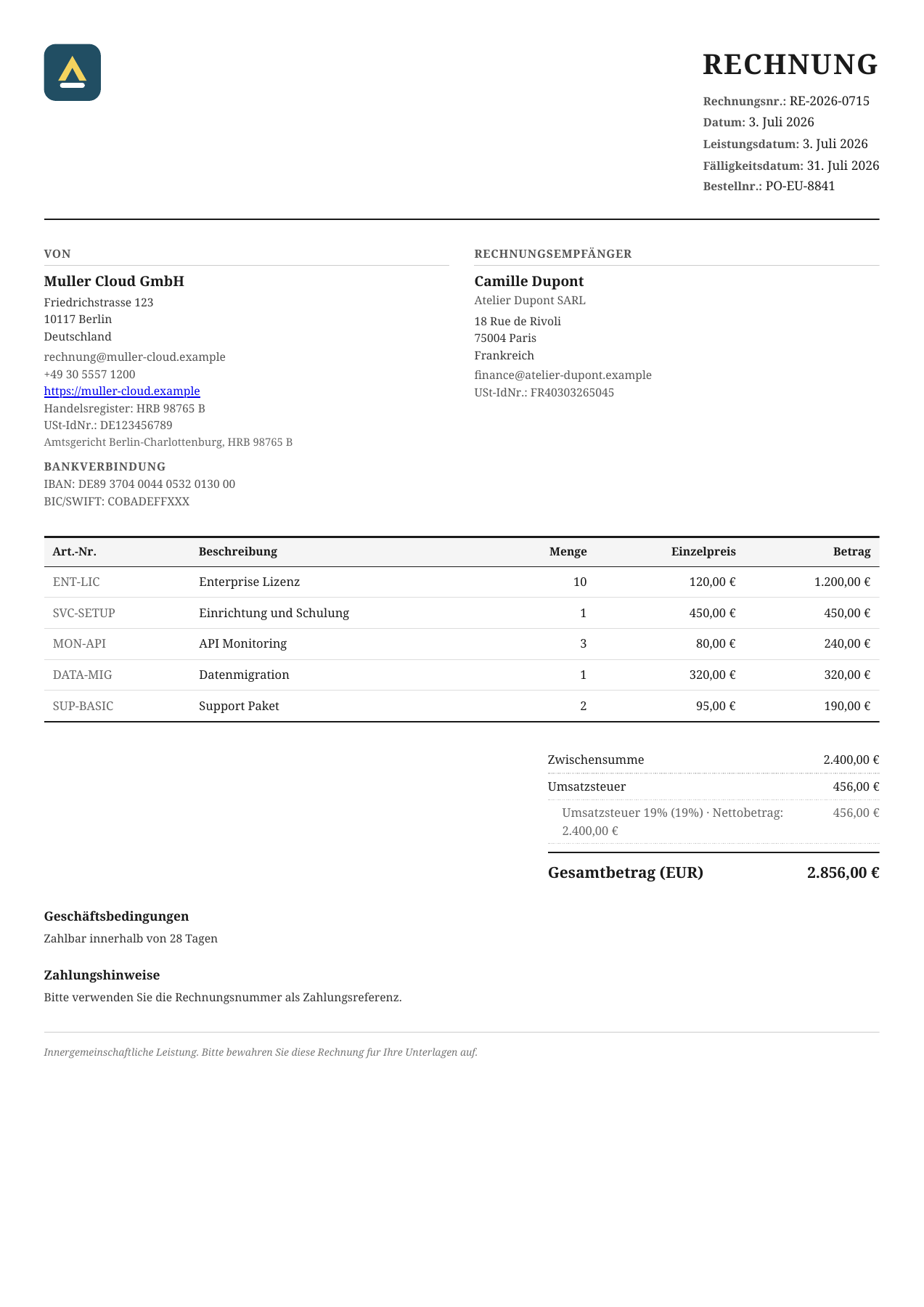
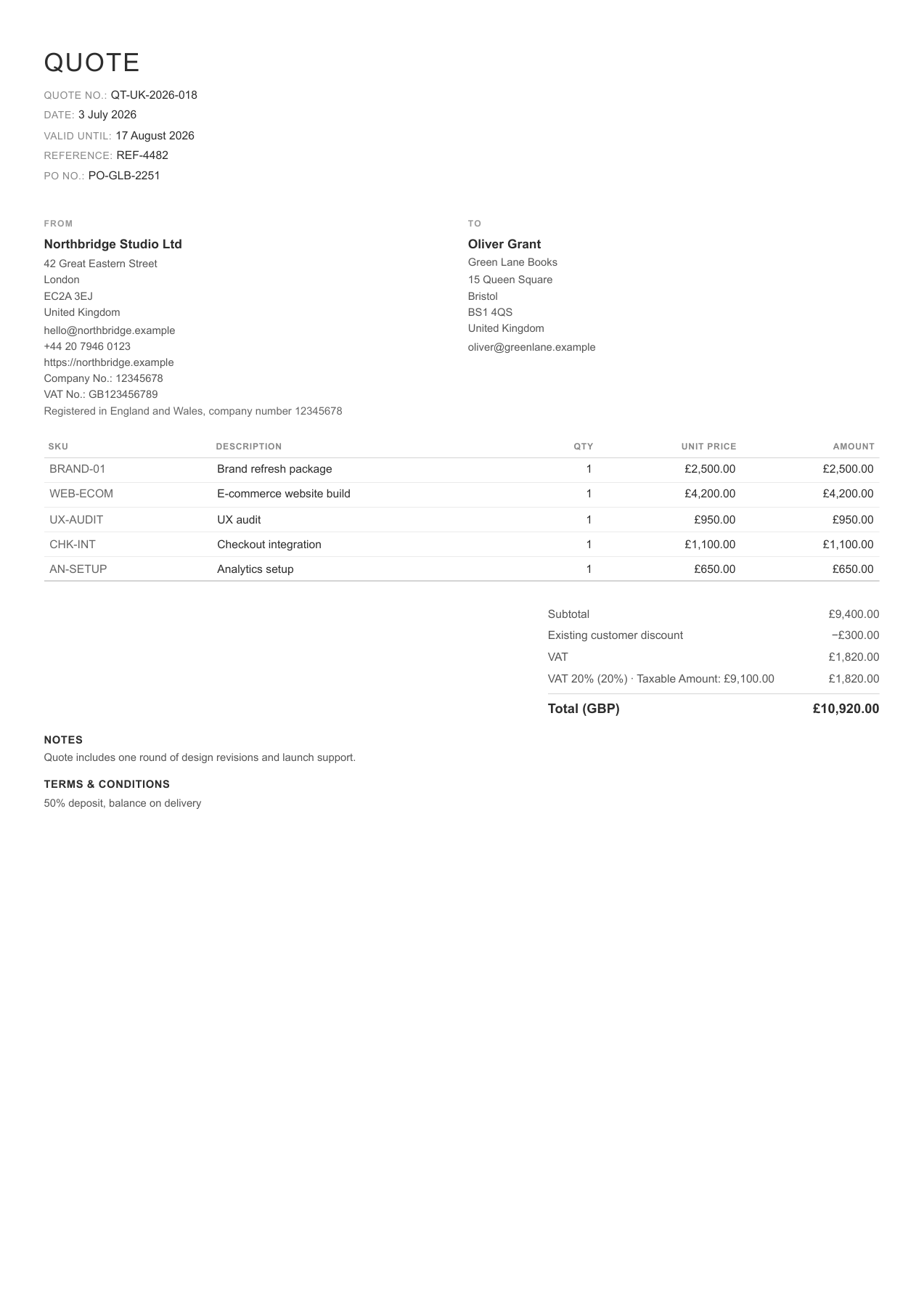
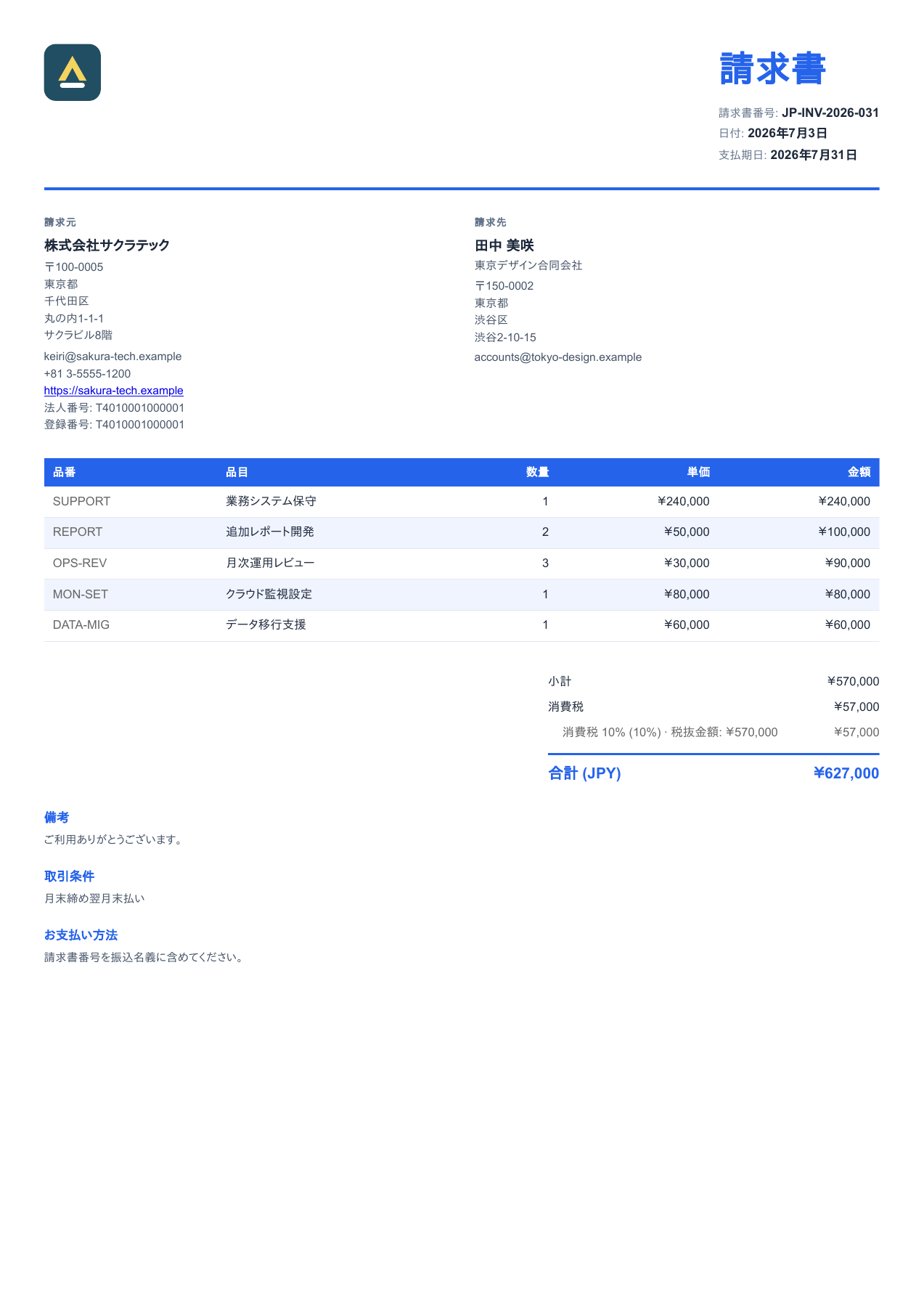
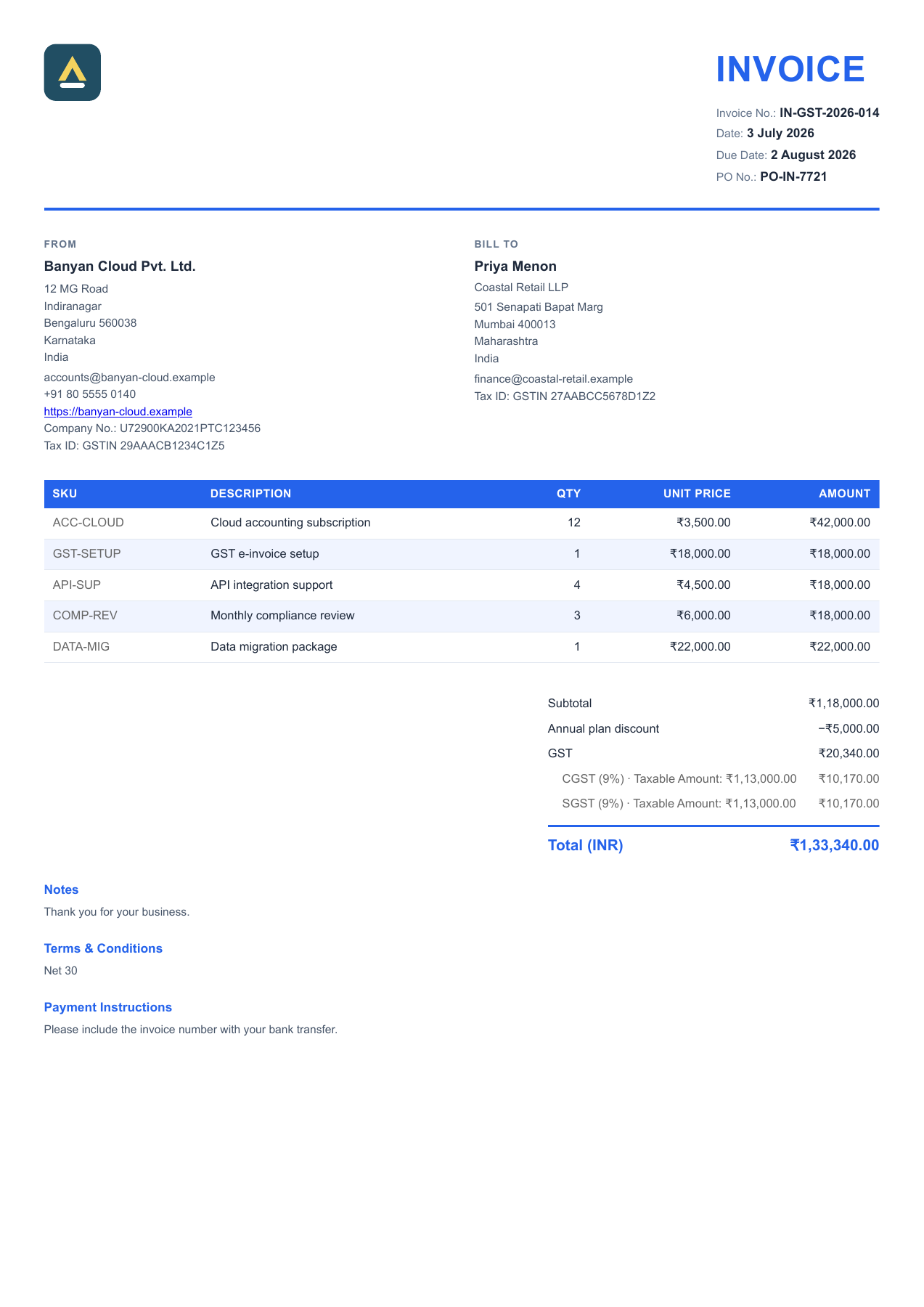
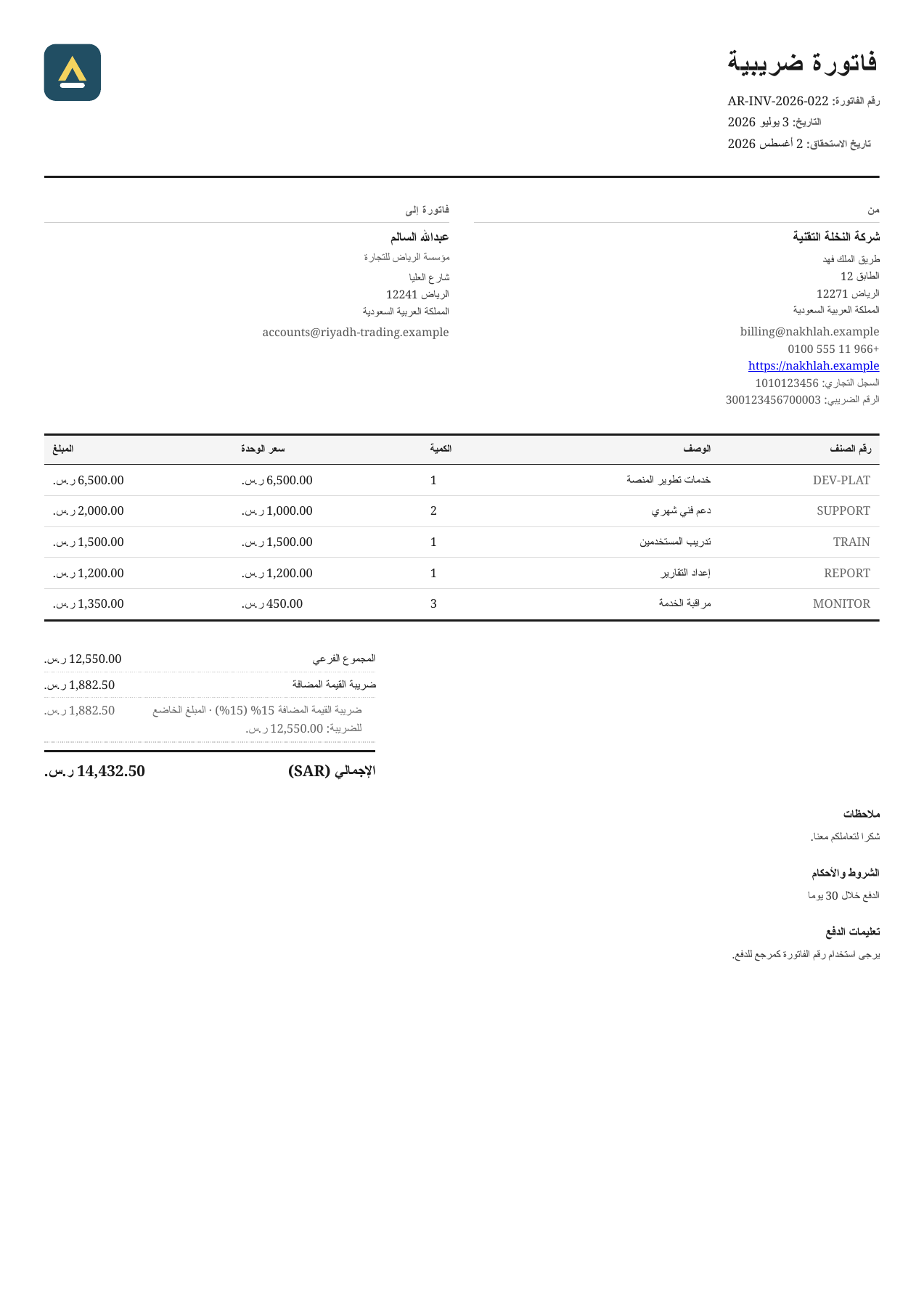
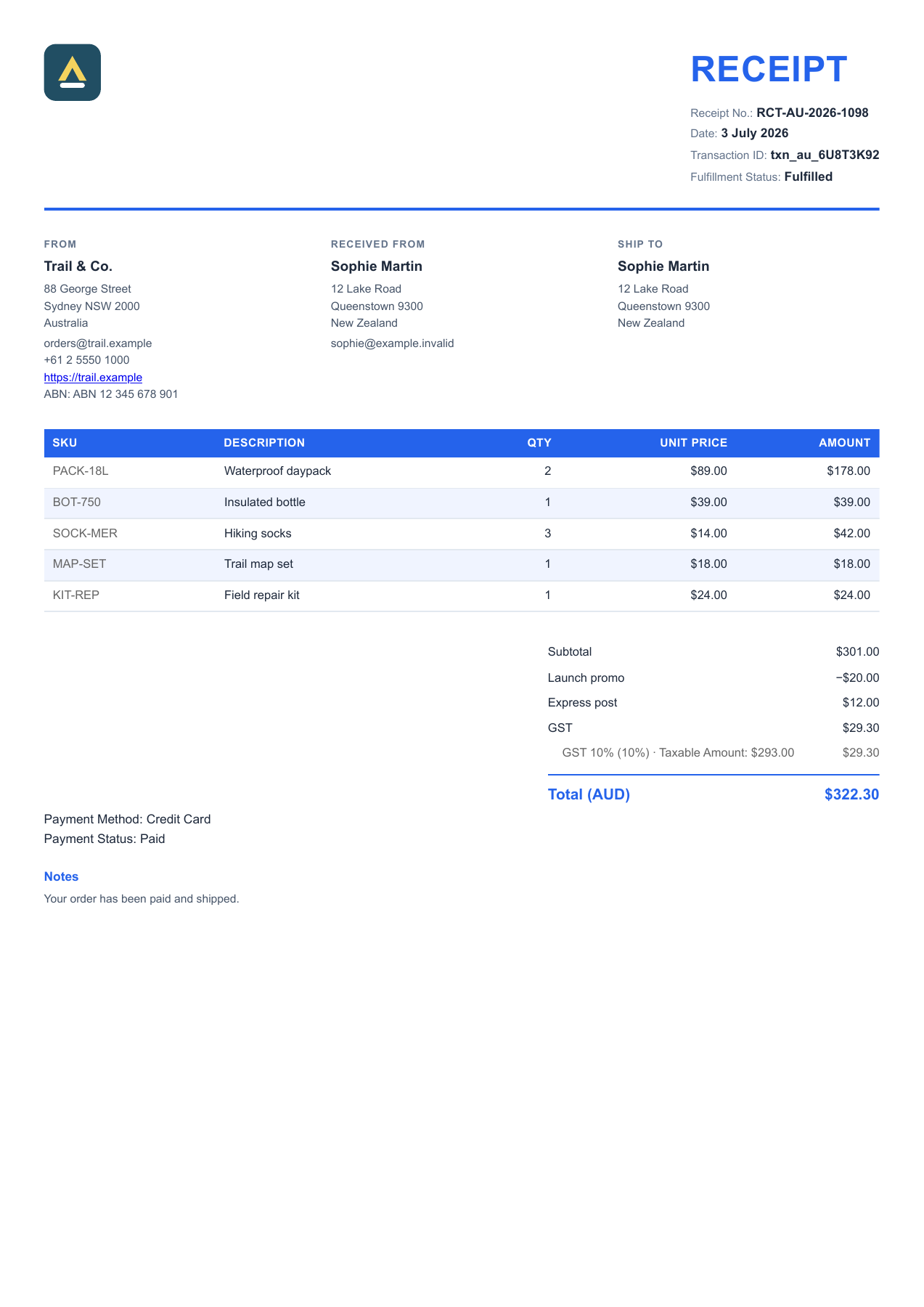
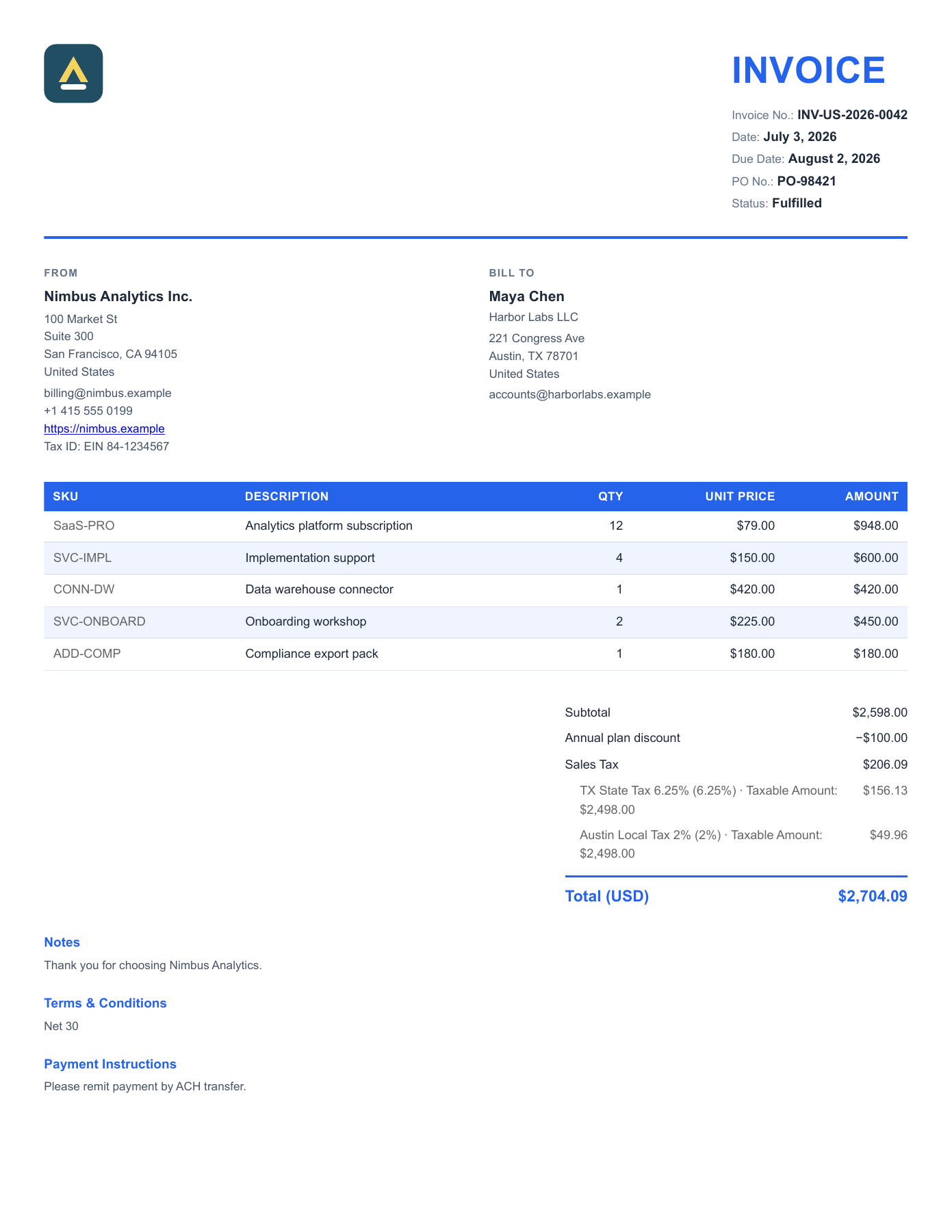
The API is for applications that need to generate invoice PDFs automatically. See sample output.

Start Here

NeedAction
Test the API quickly Go to the First API Request and run the sample JSON cURL request.
Use your own invoice data Use the Invoice PDF Generator, export JSON, then send that JSON to the API.
Integrate invoice PDFs Send invoice JSON to the API endpoint.

Starter JSON files are available in Document Types.

First API Request

Save this sample invoice JSON to invoice.json:

{
    "document_type": "invoice",
    "document_number": "INV-2026-001",
    "issue_date": "2026-01-15",
    "due_date": "2026-02-14",
    "currency": "USD",
    "seller": {
        "name": "Acme Corp",
        "email": "billing@acmecorp.com",
        "address": {
            "address1": "100 Market St",
            "city": "San Francisco",
            "province": "CA",
            "zip": "94105",
            "country": "United States",
            "country_code": "US"
        }
    },
    "customer": {
        "name": "Jane Cooper",
        "company": "Cooper Design LLC",
        "email": "jane@cooperdesign.com",
        "address": {
            "address1": "456 Oak Ave",
            "city": "Austin",
            "province": "TX",
            "zip": "73301",
            "country": "United States",
            "country_code": "US"
        }
    },
    "items": [
        {"description": "Consulting Services", "quantity": 5, "unit_price": 150.00},
        {"description": "Implementation Workshop", "quantity": 1, "unit_price": 300.00}
    ],
    "subtotal": 1050.00,
    "tax": {
        "amount": 84.00,
        "label": "Sales Tax"
    },
    "total": 1134.00
}

Then run this command to generate the PDF:

curl -X POST "https://api.pdfcrowd.com/templates/business/" \
  -u "demo:demo" \
  -H "Content-Type: application/json" \
  -d @invoice.json \
  -o invoice.pdf

The request above uses PDFCrowd's demo credentials for testing. For production, use your own API key from a free trial or a paid license.

Interactive Generator

Use the Invoice PDF Generator to enter invoice data in the browser, preview the PDF, and export the JSON request body used by this API.

It is useful when you want to test your own invoice data first, then turn the exported JSON into a template or integration.

Open the Invoice PDF Generator

What the API Supports

Documents Invoices, receipts, quotes, refunds / credit notes, and cancellations. See Document Types.
Input Structured invoice JSON as the default request body.
Layouts Modern, classic, and minimal themes; A4 or Letter pages; portrait or landscape orientation. See Render Options.
Localization Translated labels, dates, numbers, and currency formatting in 50 languages. See Localization.
E-commerce adapters Optional Shopify and Stripe adapters map their platform data into the same invoice renderer. See E-commerce Adapters.

Need to generate PDFs from your own HTML instead of invoice JSON? Use the HTML to PDF API.

HTTP Request

Send a POST request with a request body to the endpoint below.

Endpoint

POST https://api.pdfcrowd.com/templates/business/

On success, returns application/pdf. On error, returns a plain-text message with an HTTP error status. See Error Handling.

Authentication

The API uses HTTP Basic authentication. Use your PDFCrowd username as the username and your API key as the password.

For testing, use username demo and API key demo (demo:demo in cURL).

Show authentication details

JSON Format

The request body is structured invoice JSON that describes the document, parties, line items, totals, and rendering options. Here is the overall shape of an invoice document:

JSON Syntax Notes

Numeric fields accept JSON numbers or numeric strings, for example "quantity": 3 or "quantity": "3". Do not include currency symbols or thousand separators.

{
    "document_type": "invoice",
    "document_number": "INV-2026-001",
    "issue_date": "2026-03-15",
    "currency": "USD",

    "seller": { ... seller details ... },
    "customer": { ... customer details ... },

    "items": [ ... line items ... ],

    "subtotal": 1440.00,
    "discount": { ... discount ... },
    "shipping": { ... shipping ... },
    "tax": { ... tax ... },
    "total": 1608.80,

    "notes": "...",
    "legal_notice": "...",
    ... document-type-specific fields ...
}

The sections below describe each part in detail.

Required Fields

FieldTypeDescription
document_typestring invoice, receipt, quote, refund, credit_note, or cancellation
document_numberstring Document identifier. Example: "INV-2026-001".
issue_datestring Document date (YYYY-MM-DD)
itemsarray Line items. See Line Items.
totalnumber Grand total amount

Optional Fields

Unless noted otherwise, optional fields can be used with all document types. Document-type-specific fields are listed in Document Types.

FieldTypeDescription
currencystring ISO 4217 currency code. Examples: USD, EUR. Determines currency symbol, number formatting, and document language. Defaults to en_US formatting when omitted. See Localization.
localestring Overrides the language and region derived from currency. Use a language code such as en or fr, or a language plus ISO 3166-1 alpha-2 region such as en_GB, fr_FR, nl_NL, or de_DE. The region affects date/number formatting and locale-specific identifier labels. See Localization.
subtotalnumber Subtotal before adjustments. Hidden when equal to total with no breakdown rows
sellerobject Seller/company details. See Seller.
customerobject Customer details. See Customer.
discountobject Discount details. See Discount.
shippingobject Shipping details. See Shipping.
taxobject Tax details. See Tax.
notesstring Free-text notes displayed at the bottom
legal_noticestring Legal disclaimer text
stylestring Visual theme: modern (default), classic, or minimal. See Render Options.
api_optionsobject Page and layout options such as page_size and orientation. See Render Options.

Render Options

Visual style and page setup are part of the request body: a top-level style field selects the theme, and page_size / orientation go inside api_options.

{
    "document_type": "invoice",
    "document_number": "INV-2026-001",
    "...": "...",
    "style": "classic",
    "api_options": {"page_size": "Letter", "orientation": "landscape"}
}
OptionWhereDefaultValues
styletop-level fieldmodernmodern, classic, minimal
page_sizeinside api_optionsA4A4, Letter
orientationinside api_optionsportraitportrait, landscape

api_options also accepts other PDFCrowd HTML-to-PDF options (e.g. header_html, footer_html, margin_top).

The three style themes:

StyleDescription
modernClean sans-serif design with blue accents, colored table headers, alternating row colors
classicTraditional serif font, double borders, formal document layout
minimalCompact, text-focused — no logo, tighter spacing, smaller fonts

Seller Object

"seller": {
    "name": "Acme Corp",
    "email": "billing@acmecorp.com",
    "phone": "+1 212 555 0199",
    "website": "https://acmecorp.com",
    "tax_id": "EIN 12-3456789",
    "logo_url": "https://acmecorp.com/logo.png",
    "address": {
        "address1": "100 Market St",
        "address2": "Suite 300",
        "city": "San Francisco",
        "province": "CA",
        "zip": "94105",
        "country": "United States",
        "country_code": "US"
    }
}
FieldTypeDescription
namestringCompany or shop name
emailstringContact email
phonestringContact phone
websitestringWebsite URL
tax_idstringTax ID / VAT number. Printed with a locale-correct label such as DIČ, USt-IdNr., P.IVA, or GSTIN
company_idstringCompany registration number. Printed above the tax ID with a locale-correct label. Examples include Czech IČO, French SIREN, and UK company number.
registration_infostringCommercial-register line printed below the seller’s tax ID. Example: “Registered in England and Wales, company number 12345678”
bank_accountstringBank account number. Shown on invoices and quotes
ibanstringIBAN. Shown on invoices and quotes
bicstringBIC / SWIFT code. Shown on invoices and quotes
logo_urlstringCompany logo. Use an http(s) image URL or an embedded image as a data: URI. Example: data:image/png;base64,…
addressobjectStructured address. See Address.

Customer Object

"customer": {
    "name": "John Smith",
    "email": "john@example.com",
    "phone": "+1 555 0100",
    "company": "Smith & Co.",
    "tax_id": "US-TAX-001",
    "address": {
        "address1": "123 Main St",
        "address2": "Suite 4B",
        "city": "New York",
        "province": "NY",
        "zip": "10001",
        "country": "United States",
        "country_code": "US"
    }
}
FieldTypeDescription
namestringCustomer full name
emailstringCustomer email
phonestringCustomer phone
companystringCompany name
tax_idstringCustomer tax ID / VAT number
company_idstringCustomer company registration number
addressobjectStructured address. See Address.

Address Object

Used within seller, customer, and shipping objects. The country_code determines postal code placement — e.g. DE formats as 10117 Berlin while US formats as New York, NY 10001.

FieldTypeDescription
address1stringStreet address line 1
address2stringAddress line 2, such as suite or unit
citystringCity
provincestringState / Province
zipstringZIP / Postal code
countrystringCountry name. Displayed in the address
country_codestringISO 3166-1 alpha-2 code. Used for formatting, not displayed

Line Items

"items": [
    {"description": "Web Design", "quantity": 10, "unit_price": 120.00, "sku": "SVC-01"},
    {"description": "Hosting", "quantity": 1, "unit_price": 240.00, "tax": 45.60}
]
FieldTypeDescription
descriptionstringRequired. Item name
quantitynumberRequired. Quantity
unit_pricenumberRequired. Price per unit
skustringSKU or product code. Adds a SKU column when present
tax_ratenumberPer-line tax rate in percent. Informational; the document shows the totals and tax breakdown you supply
taxnumberTax for this item. Adds a Tax column when present
totalnumberItem total. Auto-computed as quantity × unit_price + tax when omitted

Discount Object

"discount": {
    "amount": 100.00,
    "label": "Loyalty discount 10%"
}
FieldTypeDescription
amountnumberDiscount amount. Displayed with a minus sign
labelstringCustom label. Defaults to “Discount” in document language

Available on all document types.

Shipping Object

"shipping": {
    "amount": 15.00,
    "name": "Express Shipping",
    "recipient": "Jane Cooper",
    "address": {
        "address1": "456 Oak Ave",
        "city": "Austin",
        "province": "TX",
        "zip": "73301",
        "country": "United States",
        "country_code": "US"
    }
}
FieldTypeDescription
amountnumberShipping cost. Omitted from document when zero
namestringShipping method name. Shown as the shipping row label in totals
recipientstringRecipient name. Shown as the first line of the Ship To block
addressobjectShipping address. See Address.

Shipping details are shown on invoices, receipts, and quotes. For cancellations, only the shipping amount is used in totals.

Tax Object

"tax": {
    "amount": 136.40,
    "label": "Sales Tax",
    "rate": 8.25,
    "breakdown": [
        {"name": "TX State Tax 6.25%", "rate": 6.25, "amount": 103.44},
        {"name": "Austin Local Tax 2%", "rate": 2, "amount": 32.96}
    ]
}
FieldTypeDescription
amountnumberTotal tax amount. Omitted from document when zero
labelstringCustom tax label. Defaults to “Tax” in document language
ratenumberTax rate percentage. Shown next to the tax label when no breakdown is present
breakdownarrayOptional itemized tax rows. Supported row fields: name, rate, amount, and base. The base field is the taxable net amount for the rate; EU invoices must show the taxable amount per rate. When omitted, a single tax line is shown

Document Types

Set the document_type field to select the document template. Each type supports the common fields above plus type-specific fields.

Invoice

Set "document_type": "invoice". Full invoice with seller and customer details, line items, tax breakdown, discounts, shipping, bank details, and payment terms. Starter file: invoice.json.

FieldTypeDescription
due_datestringPayment due date (YYYY-MM-DD)
supply_datestringDate of taxable supply / delivery (YYYY-MM-DD). EU VAT invoices must state it when it differs from the issue date (Czech DUZP, German Leistungsdatum, UK tax point)
payment_termsstringPayment terms (e.g. “Net 30”)
payment_instructionsstringPayment instructions
purchase_order_numberstringPO number
fulfillment_statusstring Auto-translated fulfillment status. Values: fulfilled, partial, unfulfilled, restocked

Receipt

Set "document_type": "receipt". Payment confirmation with transaction details, line items, shipping, and tip. Starter file: receipt.json.

FieldTypeDescription
payment_methodstring Auto-translated payment method. Values: credit_card, debit_card, cash, bank_deposit, money_order, gift_card, exchange, manual
payment_statusstring Auto-translated payment status. Values: paid, pending, authorized, partially_paid, partially_refunded, refunded, voided
fulfillment_statusstring Auto-translated fulfillment status. Values: fulfilled, partial, unfulfilled, restocked
transaction_idstringTransaction reference
tip_amountnumberTip / gratuity amount
purchase_order_numberstringPO number

Quote

Set "document_type": "quote". Quotation with validity date and shipping details. Starter file: quote.json.

FieldTypeDescription
valid_untilstringQuote expiration date (YYYY-MM-DD)
reference_numberstringReference number
payment_termsstringPayment terms
payment_instructionsstringPayment instructions
purchase_order_numberstringPO number

Refund / Credit Note

Set "document_type": "refund" or "credit_note". Refund notice with reason and original invoice reference. Starter file: refund.json.

FieldTypeDescription
original_invoicestringOriginal invoice/order number
original_invoice_datestringIssue date of the original invoice (YYYY-MM-DD). Printed after the number — corrective documents conventionally reference the original by number and date
reasonstringRefund reason (free text)
refund_methodstring Auto-translated refund method. Values: credit_card, debit_card, cash, bank_deposit, money_order, gift_card, exchange, manual
refund_statusstring Auto-translated refund status. Values: paid, pending, authorized, partially_paid, partially_refunded, refunded, voided

Amounts and signs. Use positive amounts for the values being refunded or credited. The refund or credit_note document type provides the refund context; the API does not flip signs automatically. Use negative values only for adjustments that should be printed as negative amounts.

Cancellation

Set "document_type": "cancellation". Order cancellation notice with reason and refund status. Starter file: cancellation.json.

FieldTypeDescription
original_invoicestringNumber of the invoice issued for the cancelled order, if any
original_invoice_datestringIssue date of that invoice (YYYY-MM-DD); printed after the number
related_credit_notestringNumber of the credit note issued for this cancellation, if any
cancellation_datestringCancellation date (YYYY-MM-DD)
cancellation_reasonstring Auto-translated cancellation reason. Values: customer, fraud, inventory, declined, staff, other
refund_statusstring Auto-translated refund status. Values: paid, pending, authorized, partially_paid, partially_refunded, refunded, voided

The cancellation document is a commercial notice — it confirms that an order was cancelled and has no tax effect. If an invoice was already issued for the order, cancelling it requires a credit note (document type refund/credit_note) referencing the original invoice; the cancellation notice can accompany it via related_credit_note. For orders cancelled before any invoice was issued, the notice alone is sufficient.

Complete Invoice Example

A complete invoice payload with common invoice fields. Starter files for the other document types are linked from their sections above.

{
    "document_type": "invoice",
    "document_number": "INV-2026-0042",
    "issue_date": "2026-03-15",
    "due_date": "2026-04-15",
    "currency": "USD",
    "purchase_order_number": "PO-9981",
    "payment_terms": "Net 30",
    "payment_instructions": "Please remit payment via ACH or check.",
    "notes": "Thank you for your business.",
    "fulfillment_status": "unfulfilled",
    "seller": {
        "name": "Acme Corp",
        "email": "billing@acmecorp.com",
        "phone": "+1 212 555 0199",
        "website": "https://acmecorp.com",
        "tax_id": "EIN 12-3456789",
        "logo_url": "data:image/svg+xml;base64,PHN2ZyB4bWxucz0iaHR0cDovL3d3dy53My5vcmcvMjAwMC9zdmciIHZpZXdCb3g9IjAgMCA5NiA5NiI+PHJlY3Qgd2lkdGg9Ijk2IiBoZWlnaHQ9Ijk2IiByeD0iMjAiIGZpbGw9IiMyMTRFNjMiLz48cGF0aCBkPSJNMjQgNjIgNDggMjBsMjQgNDJINjBMNDggNDAgMzYgNjJ6IiBmaWxsPSIjRjREMzVFIi8+PHBhdGggZD0iTTMxIDcwaDM0IiBzdHJva2U9IiNGRkZGRkYiIHN0cm9rZS13aWR0aD0iOCIgc3Ryb2tlLWxpbmVjYXA9InJvdW5kIi8+PC9zdmc+",
        "address": {
            "address1": "100 Market St",
            "address2": "Suite 300",
            "city": "San Francisco",
            "province": "CA",
            "zip": "94105",
            "country": "United States",
            "country_code": "US"
        }
    },
    "customer": {
        "name": "Jane Cooper",
        "email": "jane@cooperdesign.com",
        "phone": "+1 415 555 0100",
        "company": "Cooper Design LLC",
        "address": {
            "address1": "456 Oak Ave",
            "city": "Austin",
            "province": "TX",
            "zip": "73301",
            "country": "United States",
            "country_code": "US"
        }
    },
    "items": [
        {"description": "Web Design Services", "quantity": 10, "unit_price": 150.00, "sku": "SVC-WEB-01"},
        {"description": "Hosting (annual)", "quantity": 1, "unit_price": 240.00}
    ],
    "subtotal": 1740.00,
    "discount": {"amount": 100.00, "label": "Loyalty discount"},
    "shipping": {"amount": 15.00, "name": "Express Shipping"},
    "tax": {
        "amount": 136.40,
        "label": "Sales Tax",
        "breakdown": [
            {"name": "TX State Tax 6.25%", "rate": 6.25, "amount": 103.44},
            {"name": "Austin Local Tax 2%", "rate": 2, "amount": 32.96}
        ]
    },
    "total": 1791.40
}

Localization

The API localizes the generated PDF from a small set of fields in the JSON request.

How Localization Is Selected

  1. currency sets the currency symbol and provides the default language and region.
  2. locale overrides the language and region used for labels, dates, numbers, status text, and region-specific identifier labels.
  3. address.country_code controls address formatting, such as postal-code placement.

Use ISO 3166-1 alpha-2 country codes such as US, DE, GB, FR, CZ, or JP for address.country_code. The code is used for address formatting, not printed as the country name. See the ISO 3166 country codes.

Localized output includes document labels, status values, dates, numbers, currency formatting, address layout, and locale-specific labels for tax and company identifiers.

Supported Currencies

The following currencies have full locale support with automatic language detection, labels, and date formatting. Any valid ISO 4217 currency code can be used.

CurrencyName
USDUS Dollar
EUREuro
GBPBritish Pound
CADCanadian Dollar
AUDAustralian Dollar
JPYJapanese Yen
CNYChinese Yuan
KRWSouth Korean Won
INRIndian Rupee
BRLBrazilian Real
MXNMexican Peso
CZKCzech Koruna
PLNPolish Zloty
SEKSwedish Krona
NOKNorwegian Krone
DKKDanish Krone
CHFSwiss Franc
RUBRussian Ruble
TRYTurkish Lira
THBThai Baht
HUFHungarian Forint
RONRomanian Leu
BGNBulgarian Lev
HRKCroatian Kuna
ILSIsraeli Shekel
SARSaudi Riyal
IDRIndonesian Rupiah
MYRMalaysian Ringgit
VNDVietnamese Dong
TWDTaiwan Dollar
ZARSouth African Rand
UAHUkrainian Hryvnia
BDTBangladeshi Taka
PKRPakistani Rupee

Supported Languages

Labels, status translations, and formatting are available in 50 languages.

  • Afrikaans
  • Arabic
  • Bengali
  • Bulgarian
  • Catalan
  • Chinese (Simplified)
  • Croatian
  • Czech
  • Danish
  • Dutch
  • English
  • Estonian
  • Finnish
  • French
  • German
  • Greek
  • Gujarati
  • Hebrew
  • Hindi
  • Hungarian
  • Indonesian
  • Irish
  • Italian
  • Japanese
  • Kannada
  • Korean
  • Latvian
  • Lithuanian
  • Malay
  • Malayalam
  • Maltese
  • Marathi
  • Norwegian
  • Polish
  • Portuguese
  • Punjabi
  • Romanian
  • Russian
  • Serbian
  • Slovak
  • Slovenian
  • Spanish
  • Swedish
  • Tamil
  • Telugu
  • Thai
  • Turkish
  • Ukrainian
  • Urdu
  • Vietnamese

E-commerce Adapters

Structured invoice JSON is the default request format. To send data straight from an e-commerce platform instead, set the app query parameter — the adapter maps the platform's data to the right document automatically.

ParameterDefaultDescription
app omitted Omit for structured invoice JSON, shopify for Shopify data, or stripe for Stripe data.

Shopify Adapter

Send Shopify order data directly with ?app=shopify. Both REST API and GraphQL formats are supported. The appropriate document type (invoice, receipt, quote, refund, or cancellation) is selected automatically based on the order data.

Example

curl -X POST "https://api.pdfcrowd.com/templates/business/?app=shopify" \
  -u "demo:demo" \
  -H "Content-Type: application/json" \
  -d @shopify_order.json \
  -o receipt.pdf

Shopify orders don't include seller details — pass your company information via query parameters such as seller_name, seller_email, logo_url, etc.

The document language and formatting are automatically detected from the customer's locale or the order currency. Status values (e.g. paid, fulfilled) are translated to the document language.

Stripe Adapter

Send Stripe data directly with ?app=stripe. Both raw Stripe API responses (Invoice, Quote, Refund) and full webhook event payloads are supported. The appropriate document type (invoice, receipt, quote, refund, or cancellation) is selected automatically based on the data.

Supported Events

Stripe EventDocument
invoice.finalizedInvoice
invoice.payment_succeededReceipt
invoice.voidedCancellation
quote.finalizedQuote
refund.createdCredit Note

Example

curl -X POST "https://api.pdfcrowd.com/templates/business/?app=stripe" \
  -u "demo:demo" \
  -H "Content-Type: application/json" \
  -d @stripe_event.json \
  -o invoice.pdf

Stripe invoices auto-populate seller_name from the invoice's account_name field. Other seller details — email, phone, address, logo, tax ID — are not available in Stripe and must be passed via query parameters such as seller_email, logo_url, etc.

The document language and formatting are automatically detected from the invoice currency (e.g. eur → German, czk → Czech). Pass &locale=fr_FR to override.

Expanding Related Objects

Stripe webhooks deliver related objects (customer, charge, payment_intent, …) as bare ID strings rather than full objects. When posting a raw webhook payload directly — with no middleware in between — expand the objects you want rendered:

  • Quote events: expand customer (otherwise the buyer block is empty).
  • Refund events: expand charge and charge.invoice to render the originating invoice number and line items.

See Stripe's expanding objects reference. Integrations that go through a middleware layer (e.g. Zapier's Stripe trigger) usually receive already-expanded payloads and need no extra handling.

Error Handling

400
Invalid JSON, missing required fields, or unknown document type.
405
Method not allowed. Only POST requests are accepted.
401
Invalid username or API key.
403
License expired, disabled, or no credits remaining.
429
Rate limit exceeded. Wait and retry.
430
Too many concurrent requests. Wait for current conversions to complete or upgrade your plan.
500
Internal server error.

Map Existing Data

If your system already has invoice data in another format, ask an AI coding assistant to create an adapter that maps it to the structured invoice JSON format.

For example, the source can be JSON, XML, CSV, a database record, or an existing invoice object. Tell the assistant which language or framework you use.

AI Agent Prompt

Create an adapter for my application that:
1. Reads invoice data from [DESCRIBE THE SOURCE OR PASTE A SAMPLE]
2. Maps it to the PDFCrowd Invoice PDF API JSON format:
   https://pdfcrowd.com/invoice-pdf-api/
3. Sends the mapped JSON to the Invoice PDF API endpoint and saves the PDF

Use [LANGUAGE / FRAMEWORK].